Integrations · Klaviyo
Push finished emails to Klaviyo, ready to edit.
What the integration does
- Uploads each slice to the account’s image library.
- Creates a template in Klaviyo’s drag-and-drop editor, with your alt text and links on every image.
- Optionally creates a draft campaign: name, subject line, preview text, sender, reply-to and the lists or segments you pick.
It doesn’t read or change subscriber profiles, flows, forms or settings, and it never schedules or sends anything.
Connect your account
With Klaviyo login (recommended)
- In Email Slicer, open Brand profiles and choose + Add brand.
- Choose Connect with Klaviyo, log in to Klaviyo and pick the account.
- Review the permissions and choose Allow. You return to the new brand profile, already connected and named after the account.
Starting from Klaviyo’s side works too: if you aren’t signed in to Email Slicer, you sign in or create an account first and then continue straight to the approval screen.
With a private API key
- In Klaviyo, go to Settings → API keys → Create Private API Key and give it the scopes listed below.
- In Email Slicer, choose + Add brand, paste the key, then Test connection.
Keys and login tokens are encrypted before they are stored and are never shown again.
Permissions we ask for
| Scope | Why |
|---|---|
accounts:read | Read the account’s company name and default sender, to name the brand profile and prefill the campaign sender. |
images:read, images:write | Upload your slices to the account’s image library. |
templates:read, templates:write | Check template names so a new one never overwrites another, and create the template. |
campaigns:read, campaigns:write | Create the draft campaign and attach the template to it. |
lists:read, segments:read | Show your lists and segments so you can pick the campaign audience. |
Push an email
- Upload a design, check the slices, and review alt text and links.
- On the Review step, choose the brand and the output: Template, or Template + campaign with its subject, sender and audience.
- Choose Create template, check the summary, and confirm.
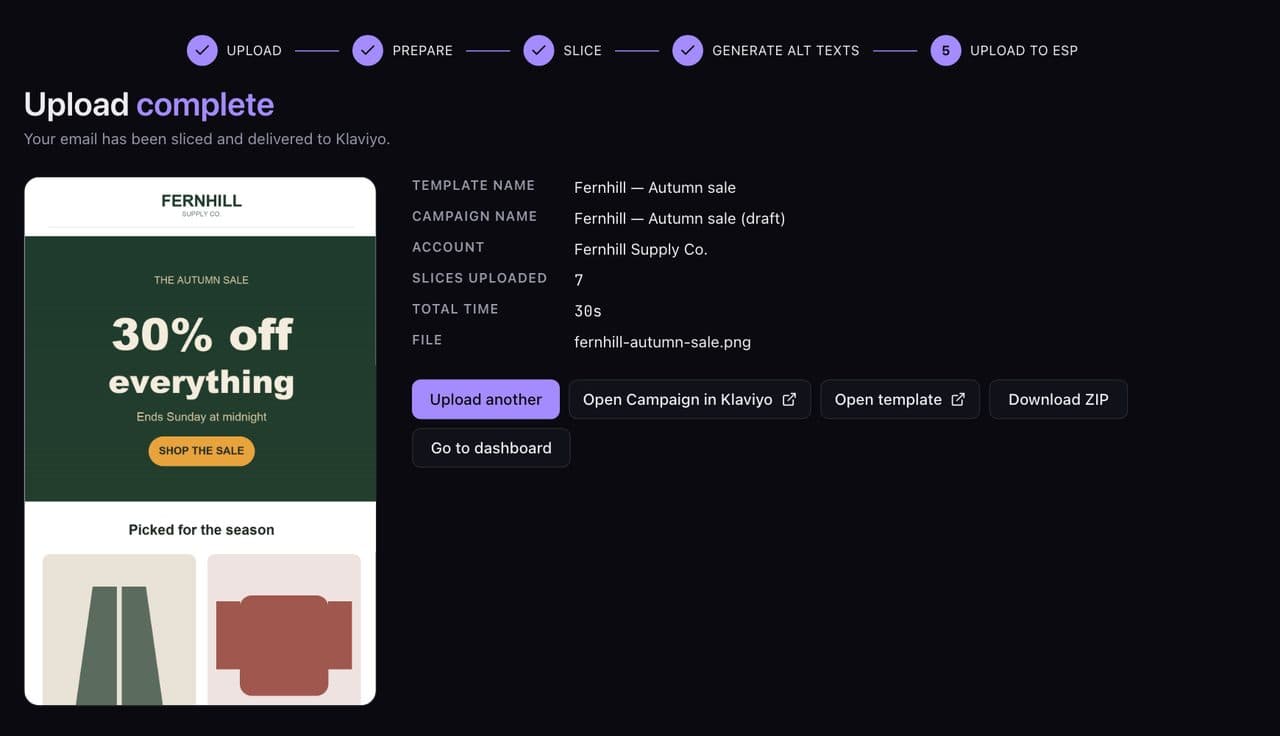
- When the upload finishes, use Open template or Open campaign in Klaviyo to continue there.
What stays editable
Everything. The template is built in Klaviyo’s own drag-and-drop editor, so you can swap an image, change a link or add a block there. One difference: Klaviyo’s editor has equal-width columns only, so a row you split unevenly (say 30/70) arrives as equal columns. If a template with the same name already exists, the new one is saved as “Name (2)” rather than replacing it.
Troubleshooting
| What you see | What to do |
|---|---|
| The brand shows DISCONNECTED | The app was removed in Klaviyo or the connection expired. Open the brand and choose Reconnect with Klaviyo. |
| Test connection fails with a private key | Check the key still exists in Klaviyo and has every scope listed above, then paste it again. |
| The campaign can’t be created | A campaign needs a subject line and at least one list or segment. |
| A slice is flagged as large | Images over 200 KB load slowly. Add a cut in that area to split it. |
| The push failed | The Export page shows the reason and a Retry button. Images that already uploaded are reused. |
Disconnect
- From Email Slicer: open the brand profile and choose Disconnect from Klaviyo. This revokes our access, removes the app from your Klaviyo Integrations page and keeps the brand’s settings for a later reconnect. Deleting the brand profile also revokes access.
- From Klaviyo: remove Email Slicer from your Integrations page. The brand profile then shows as disconnected.
- Private keys: delete the brand profile in Email Slicer and the key in Klaviyo.
Templates and campaigns already created stay in your Klaviyo account.
Questions
Does Email Slicer send emails from my Klaviyo account?
No. It creates templates and draft campaigns. Scheduling and sending are always done by you in Klaviyo.
Can it see my subscribers?
No. It reads list and segment names for the audience picker, but never profiles, emails or other subscriber data.
Can I connect more than one Klaviyo account?
Yes, one brand profile per account. The number of brand profiles depends on your plan.
Is Email Slicer made by Klaviyo?
No. Email Slicer is an independent product that uses Klaviyo's public API. Klaviyo is a trademark of Klaviyo, Inc.